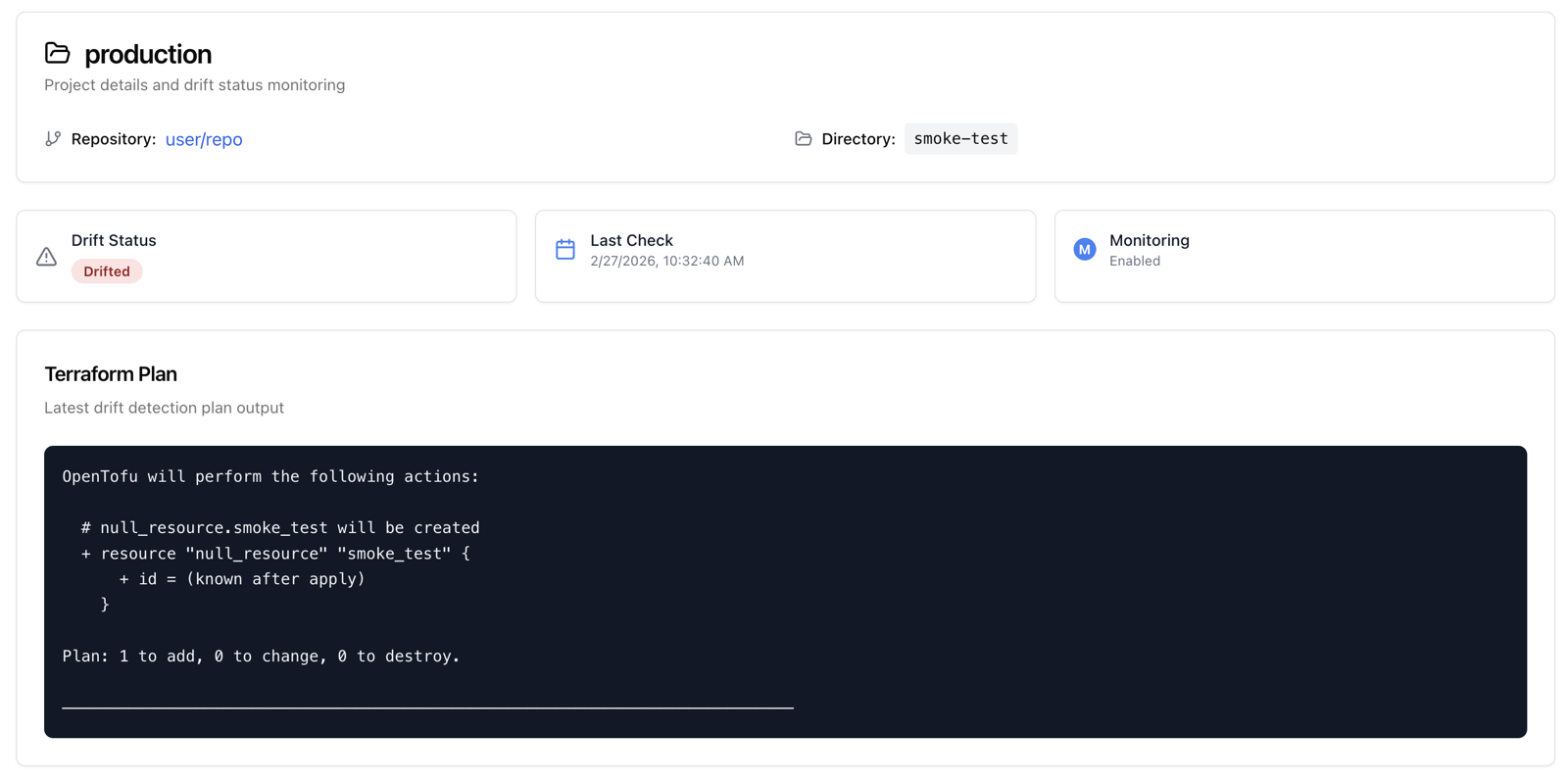
Drift Detection + Remediation helps you continuously compare real infrastructure against your IaC definitions, detect unexpected changes, and drive remediation through the same PR-based workflow your team already uses.
Prerequisites:

Enable drift detection

To activate drift detection, you must enable it at both levels:
1

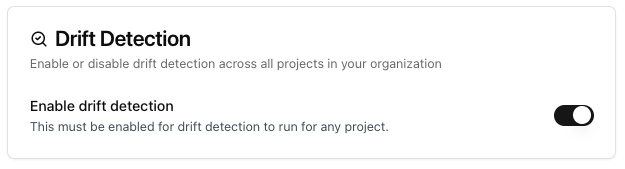
Enable drift detection at the organization level

In settings, toggle Enable drift detection on.Enable drift detection toggle in settings
2

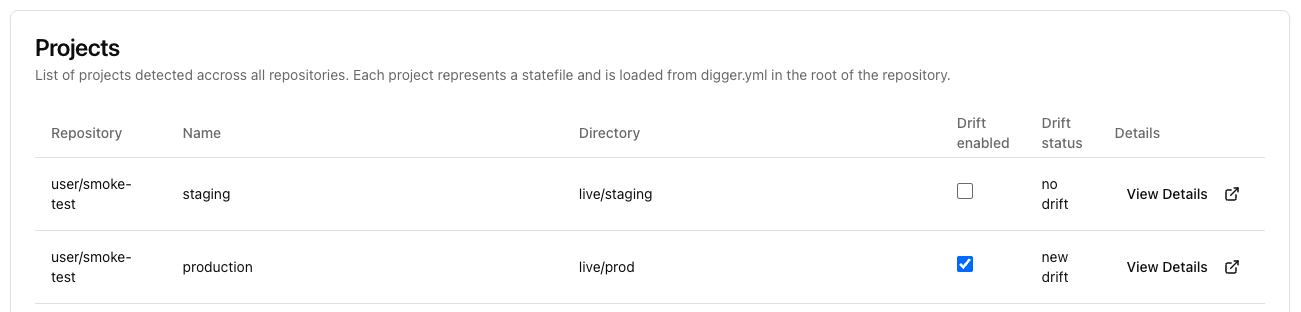
Enable drift for each project you want monitored

In the projects page, toggle Drift on for each project.Project-level drift toggle in projects list

Configure notifications, schedule, and status
1

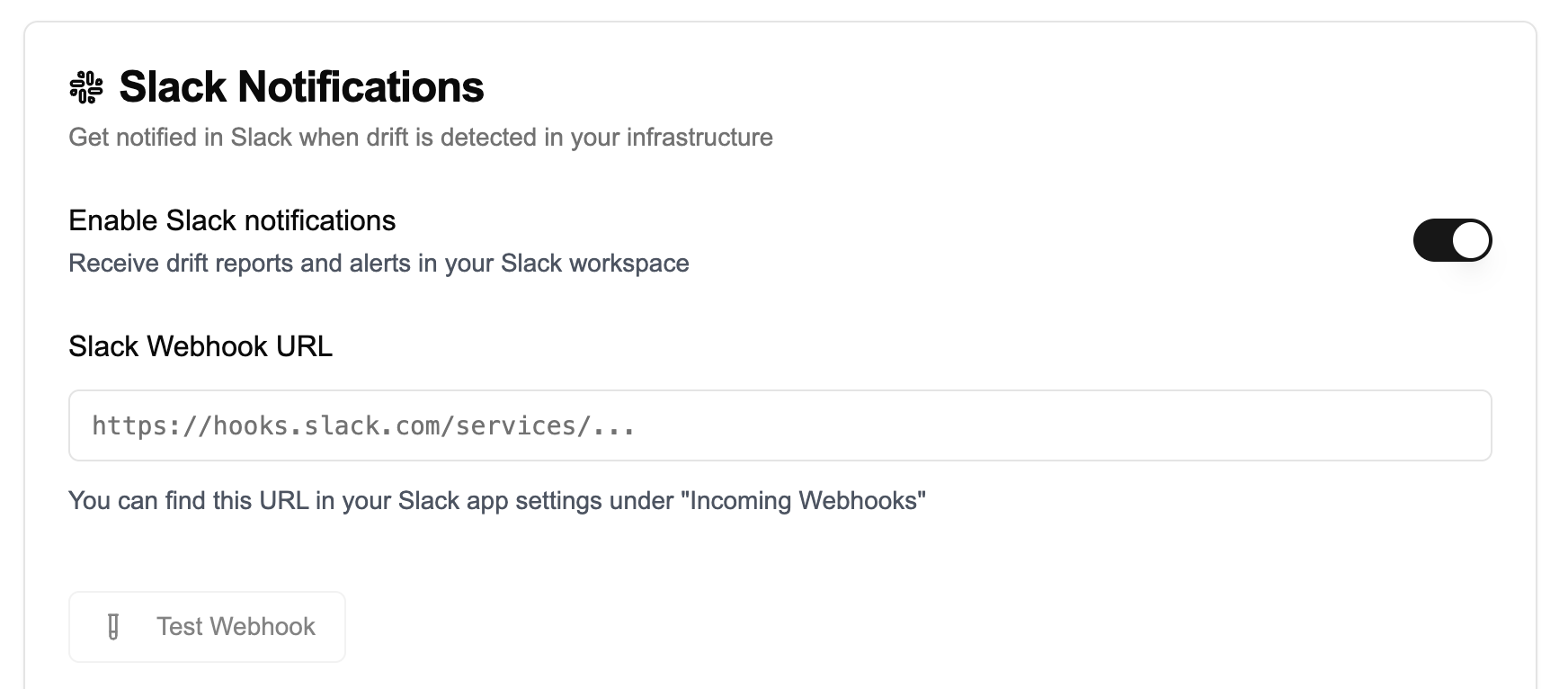
Configure Slack notifications

Configure Slack notifications using a webhook URL.Slack webhook configuration in drift settings
2

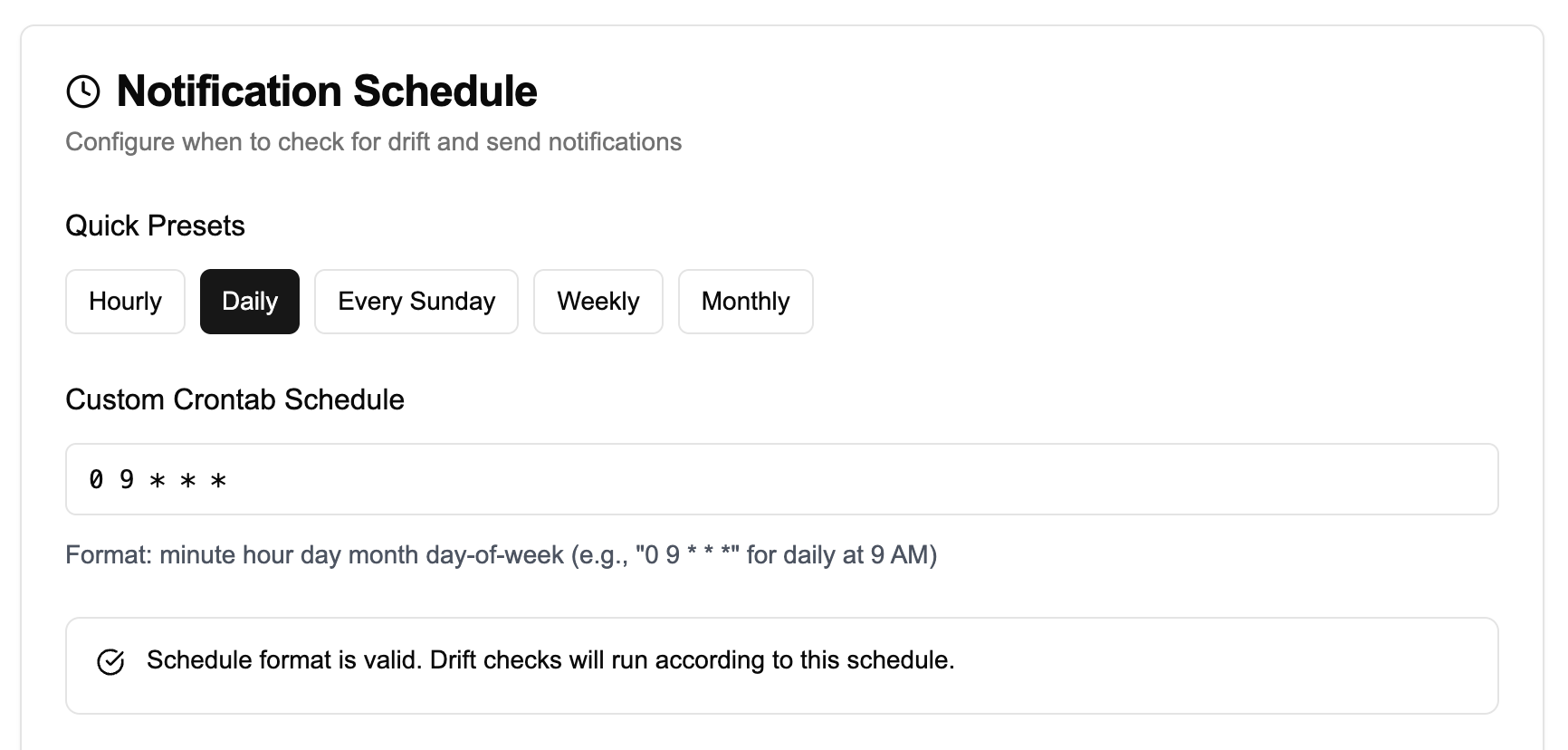
Set the drift schedule

Run drift detection on preset intervals (for example, hourly or daily), or use a custom crontab.Drift detection schedule settings with presets and custom crontab
3

Review drift status in the app

OpenTaco runs a plan workflow (via GitHub actions) for selected projects on your default branch. If the plan is not clean, OpenTaco sends a Slack notification and updates drift status in the app.Drift status overview in OpenTaco